My personal computer is very old, turning 10 years next year. It is a 2012 HP Probook 4440s with an HDD hard disk that is almost about to die (HDDs can be 5-10x slower than nvme hard drives that are used today), with a Gen2 Intel CPU (Current version is Gen11), with 6 GB RAM (an avg computer has 8GB today). Thanks to Linux, I can do all my highly resource-hungry tasks on my 10-year-old computer, like it’s a brand-new. These include video editing, photo editing, coding, virtualization etc… all without any performance lags. And when I use windows 11 on this laptop, I can hardly open a few excel models without a lag. The bootup time in Windows is noticeably slower than in Linux. It doesn’t mean windows is bad. It’s a great piece of software. It’s just that Windows is designed to utilize way more hardware resources.
With every new release of commercial software, the minimum hardware requirement increases significantly. Partially it is due to genuine user-centric feature enhancements. But part of it is not. To increase their revenue, the commercial computer industry has to shorten the replacement cycle of the devices. But, they cannot produce inferior hardware, as it will harm their brand. The solution they opt for is increasing the hardware requirement of every new release of their software. Hence we see Windows/macOS continuously increasing the minimum hardware requirement for every new release. If you keep using the old hardware, after some time it becomes unbearably slow. In contrast, Linux is not a commercial entity and by design, it gives users the control/choice to decide how heavy or light it should be. And the user can decide that depending on his hardware and his needs.
Below is a comparison that I did on my 10-year-old laptop, between Linux OS and Windows, after a fresh boot (without any user-startup programs). On left is the Windows task manager and on right is the Linux. After a fresh restart, my Linux OS consumes 250MB Ram with 44 tasks running, whilst Windows uses ~9x more RAM at 2.2GB RAM with ~3x more tasks (144 tasks) running. I have customized my Linux environment exactly to my need. Even with a fresh install, Linux can manage with less than 700MB which is 3x lesser than windows.
Figure 1: Resource utilization after a fresh boot - Windows (left) vs Linux (right)
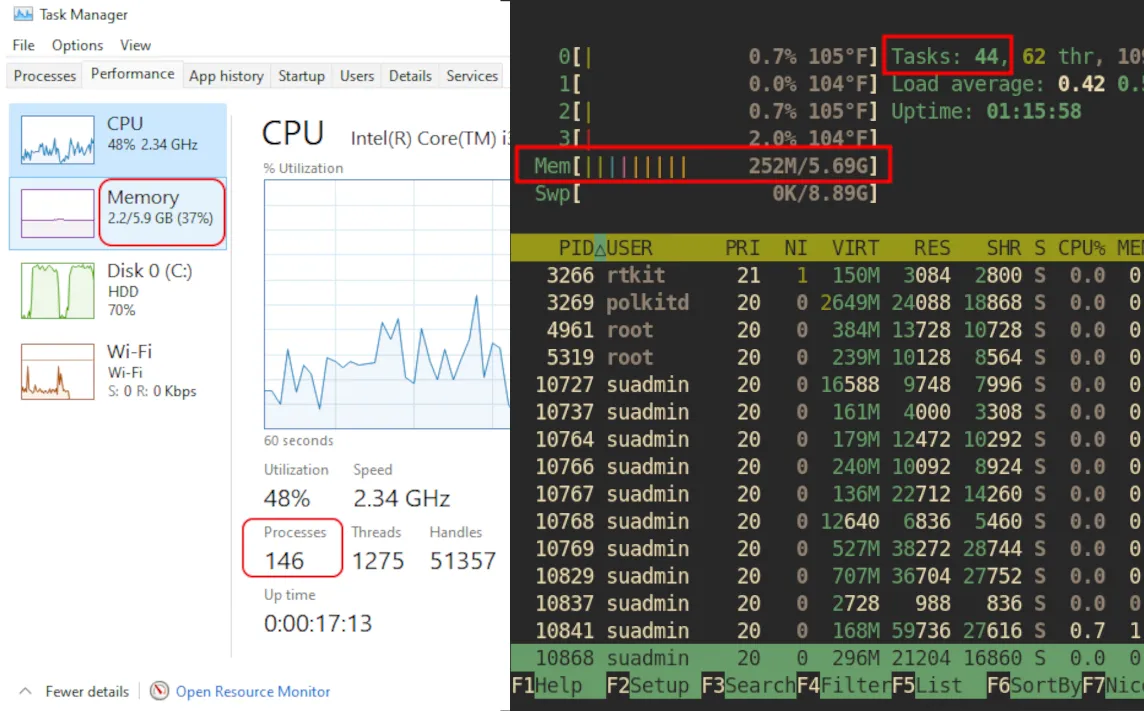
The higher the OS resource usage, the lesser are the resources available for the user applications (Word processor, Browser, Spreadsheet, Text Editor) because OS has the priority.
What is Linux?
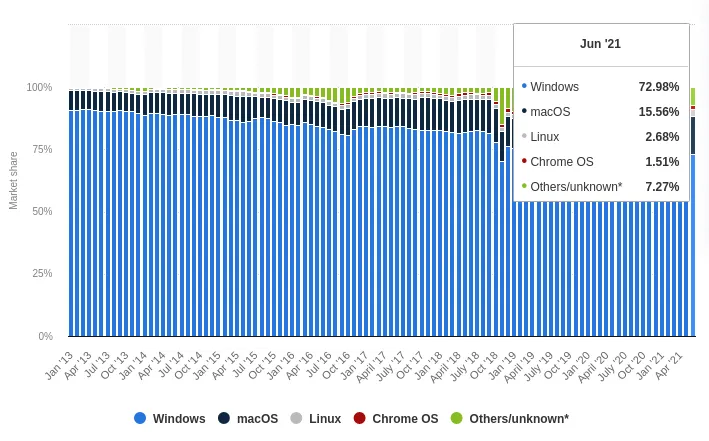
Linux is an Operating System, like Windows and macOS. Linux holds a share of 2.7% of all the operating systems. An operating system is responsible for coordinating tasks between system hardware (CPU, RAM etc), Input/Output devices (Keyboard, mouse, monitor, speakers), Applications (MS Office, Photoshop, Web browser).
Figure 2: Desktop Operating System Share
I don’t hate Windows/macOS
Before I go any further… I don’t dislike Windows/macOS. (like I hate Facebook). They are great OS’s. I use Windows at work, which is the majority of my computer use. I earn a living, using Windows. Even on my personal computer, I have windows installed, along with many other Linux distros. But I prefer using Linux over the others for my daily personal use. I thought some of you will too, once you get to know about it and hence this article.
In this article, I am trying to share my experience and views on using Linux over the past decade. In summary…
Why I love Linux
- Linux is extremely lightweight on system resources without compromising any functionality and visual appeal.
- Linux is more secure. Less or No viruses. So I don’t need to allocate more resources on another resource-heavy virus guard.
- Linux gives me control and choice. I am way more efficient with Linux
- Using Linux helps save the environment. Reusing the old computers, which would otherwise go to landfills as e-waste, will help the environment. Eg. Instead of buying a new computer for your child, give them your old laptop with Linux.
- Linux respects my privacy and doesn’t collect my data. So my data won’t get leaked when some other company gets hacked.
- Linux community is huge and the majority are helpful.
- Linux is FREE and Open Source.
If Linux is that good, why only 3%?
- Windows/Apple come pre-installed with hardware, as either they incentivise hardware manufacturers or OS comes with their own hardware.
- Windows/Apple spend big advertising/Sales money to popularize their OS’s.
- Windows/Apple has the advantage of Critical Mass (having 72%,16% respectively)
- Linux used to be difficult in the past (early 2000’s). But it has come a long way from that. Yet the perception of the people hasn’t changed.
- Linux offers users too many choices. This might overwhelm some.
Who should use Linux?
- Anyone who is having a computer with old (or low spec) hardware that is too slow for Windows.
- Government organizations and Not-for-profits. To save the tax money/donations of the people.
- Anyone obsessed with control, privacy, productivity and efficiency
Who shouldn’t use Linux?
- People who use windows-only specialized software, at a professional level. However, I am one of these people. Yet, I have Windows in a dual boot and use Linux as my main driver.
- Gamers especially the ones with Nvidia graphics. (Unless they are willing to test some tweaks)
Why isn’t this just a viewpoint of a Linux fan-boy?
I’ve been using Linux as my main OS, for 10 years. During the whole time, I’ve been using Windows at work. I also used macOS too, briefly for about 3 years. So I have a balanced view of all three major OS’s. In addition, I’ve done system administration for 2 years in a previous job where I worked on Linux Servers. Therefore, I have a deeper understanding beyond personal use, as to how systems work.
If you are interested to learn more as to why I think you will love Linux, read on. I am elaborating more on the above points.
Why I love Linux
1. Extremely lightweight on resources with better functionality
As highlighted at the beginning of the article, Linux can be made very lightweight. The reason for this is customizability. Unlike Windows and Mac OS, the core OS and the Desktop Environment/Window manager are two different parts. So depending on the requirement you can pick the desktop or window manager. There are fully functional (Sometimes even better than Windows/Mac) desktops like XFCE and LXQT. Low resources don’t mean ugly. With its customizability, you can easily make these look whatever you like. That is because you can customize every element of the system icons, cursors, application windows. And the community has made tools/guides to make the process simple.
2. Security
Linux has “less” or “no” viruses. It is due to a few reasons.
- Linux user share is just 3%. An attacker would rather spend his time and effort to exploit an OS that has a much higher market share, to profit from it.
- Linux is open source. Therefore, security vulnerabilities get discovered and patched much faster by the large community around it.
- Linux is better designed. I am not an expert in this area. But this is one reason why Linux is used in the majority of the webservers. And the way the file access control is designed makes it harder for an attacker to exploit.
- All Linux software is installed from a centralized repository. You don’t need to download from a shady website on the internet as you do in other OS’s. (Windows is going to copy this with the winget installer)
3. Customizability
Be it your workflow, or how it looks… With Linux, you can customize anything to your heart’s content. And once you customize something, it’s easily reproducible. You just have to backup your user config folder.
Eg. All my configuration files are constantly backed up, and with a script, I can quickly bring everything to my setup. It’s so easy, I usually reinstall my OS every few months, for the fun of it.
I have optimized my workflow to perfection with Linux. I am way more efficient in Linux than in Windows.
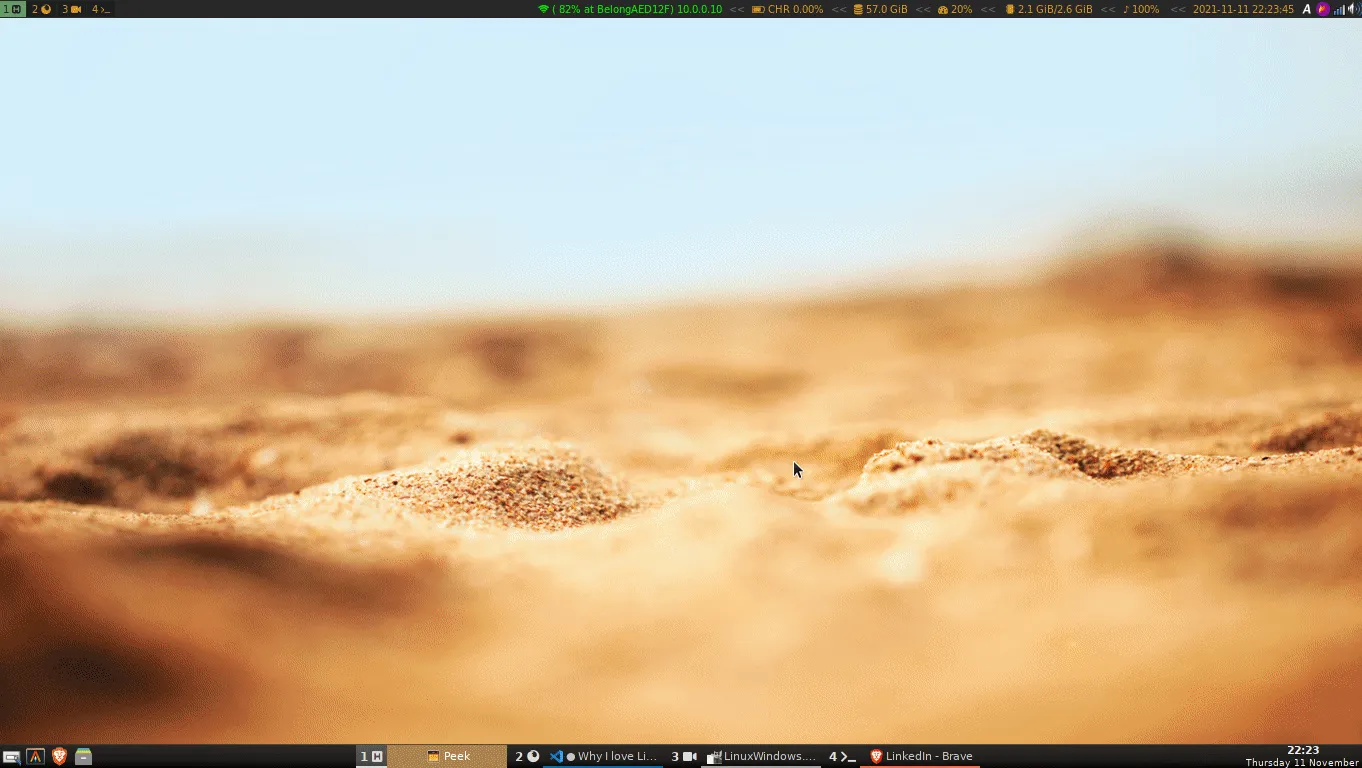
I have scripted/automated most of my tasks in Linux using bash. (Though Microsoft has its PowerShell, it’s not as easy as Linux.) I can control all my application windows (not Windows OS) in Linux, entirely with the keyboard, without even touching the mouse. All my frequently done tasks are automated. Web searching is a keystroke away. I can immediately watch a youtube video with a few keystrokes, even without opening the browser. I can even listen to only the audio stream of any youtube video.
Below is an example of how I control my work entirely with the keyboard, without even touching the mouse.
Figure 3: Linux window control with a tiling window manager
Just to show the level of customizability, below is an example where I search for a video on youtube and open it in my desktop video player without even opening the browser. (I am using a script that uses youtube-dl and MPV)
Figure 4: playing youtube videos with a script

Similarly, I can play the audio of any youtube video without opening any program. This means I can listen to any song in the world, any time.
4. Help save the environment
E-waste is becoming a huge issue. And as the lifetime of electronic devices becomes shorter, the production of e-waste accelerates. Yet, as highlighted in the introduction section, to increase their revenue, commercial entities want to reduce the replacement cycle of devices. The sad part is, sometimes they add features that are not required by the user (users’ data collection), or even worse, they intentionally slow down devices. Apple got caught for this multiple times.
The smart thing for us to do is, to use the good hardware and use it with good software, like Linux and other open-source software.
Apple agreed to a $500 million settlement in the US March-2020, after it admitted slowing down older iPhones.
5. Privacy
Linux doesn’t collect any user data. In contrast, we hardly have any control over Windows/Mac OS. This is one thing that I hate about windows. In the name of continuous improvement, giving the fancy name “telemetry”, they are monitoring, recording and analysing every move I make, even after paying the full price. And sometimes this data gets sold to other commercial entities for profit, saying that they are anonymized.
Figure 5: Windows Privacy settings
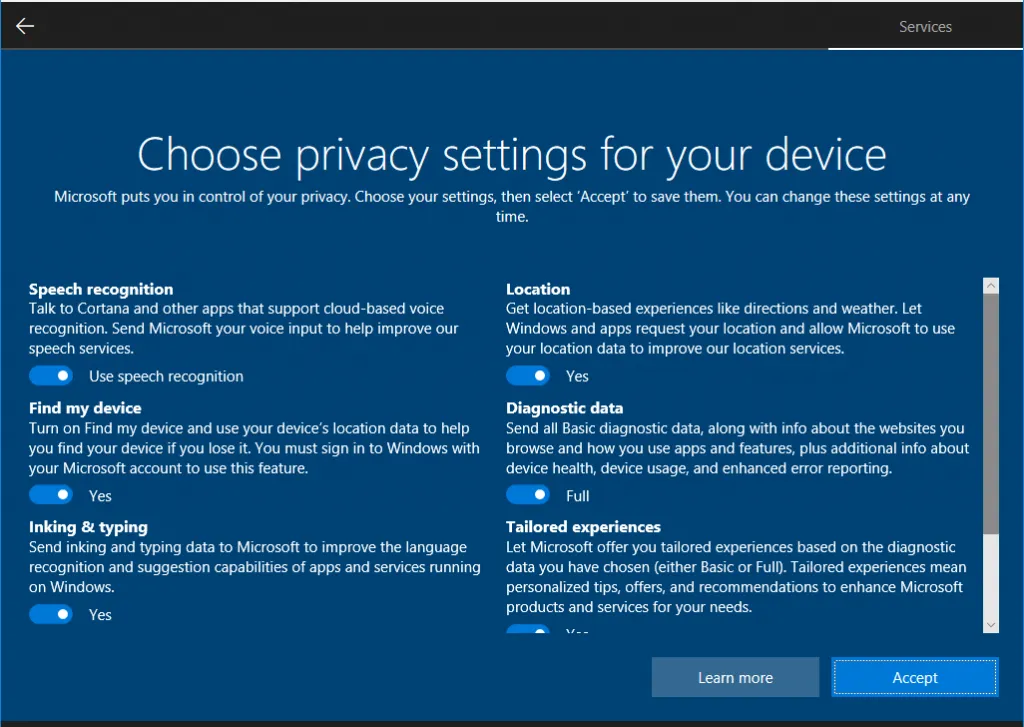
It’s not that I don’t trust Microsoft/Apple. It’s just a matter of time until they get hacked. No one is unhackable on the internet. Microsoft got hacked recently, as late as January 2021. Wikipedia article here.
6. Community and learning mindset
Linux has a very large community. If you come across an issue, there is a 99% chance that somebody else would have come across this issue and documented it. So you can easily resolve it yourself. If not, you can ask the question in any of the Linux forums. Also, Linux has helped me in developing a learning-oriented mindset. By using Linux, every day I am learning something new.
7. Linux philosophy
Linux is Free. Windows and macOS aren’t. When you buy a computer with Windows/macOS not only do you pay for the hardware, but also for the OS. The two dominant operating systems are paid (windows - starting USD 119 and MacOs price bundled into hardware). In addition to the OS, almost all the programs in Linux are free too.
Linux is open-source. The source code of Linux is Open. Meaning anyone can see the code behind Linux in https://github.com/torvalds/linux.git. But the implication for a general user is that you are not at the mercy of a single corporate. In Windows/macOS even after paying for it, you are not in control of your workflow and the future of the OS.
If Linux is that good, why is its market share only 3%?
1. Windows and macOS come pre-installed with hardware
Windows comes pre-installed with the majority of desktops and laptops. Since it’s a paid product, Microsoft does its channel development. macOS is exclusively installed in all mac hardware.
But to get Linux, one should make the effort to manually install it.
2. Branding/Advertising and partnerships
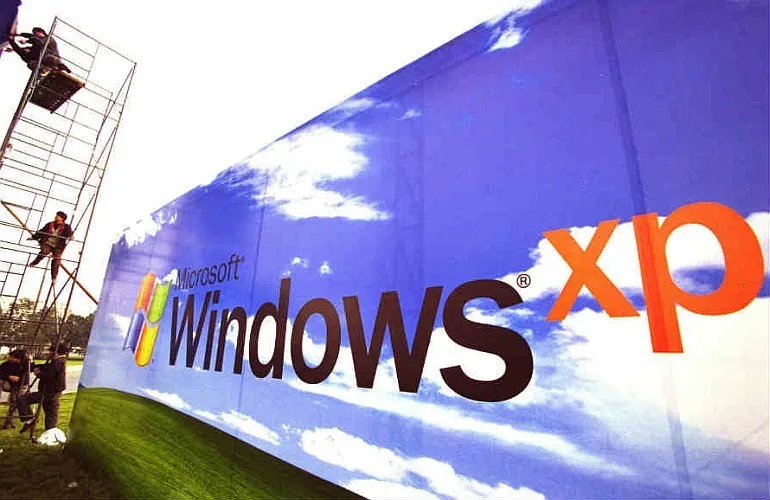
Both Windows/Mac OS being commercial entities, they spend millions of dollars on branding and advertising. And also both Windows and Mac OS come preinstalled in hardware, whereas the user has to manually install Linux. Especially in the case of windows, they get into partnerships with Laptop manufacturers to have windows pre-installed in the computers. The manufacturer gets part of the revenue.
Figure 6: Microsoft advertising
Linux, being a non-profit, has neither the money nor the need to increase its userbase. It only has the voice of its users (like me)
3. Benefit of Critical Mass
Similar to Viruses, most of the specialized software too, focus on OS’s with large user shares, since they can address a larger audience. Eg. Adobe creative suite
Also, Windows and Apple being commercial entities, want their users to stay with them. Therefore, they create switching costs for the users. Eg. Microsoft Office Suite is not available in Linux. The Office version for Apple is limited in features.
4. Linux is perceived to be a difficult OS, though it is not
Until the mid-2000s, Linux was more focused on the servers. But when Ubuntu entered the market in October 2004, everything changed. Ubuntu was entirely focused on desktop users and gained popularity really fast among Linux users. Then the others followed the lead. Today, there are two factions of Linux distributions (OS Types). One that is focussed on servers (Eg. Debian, Redhat, Ubuntu Server) and the other that is focussed on desktop (Linux Mint, MX Linux, Ubuntu-desktop).
Unfortunately, the user perception hasn’t changed yet. Most people still think that Linux is not user friendly, and that they need to learn terminal(command line) to use linux.
5. Paradox of Choice
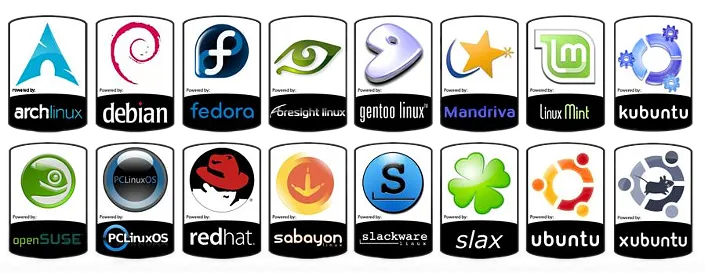
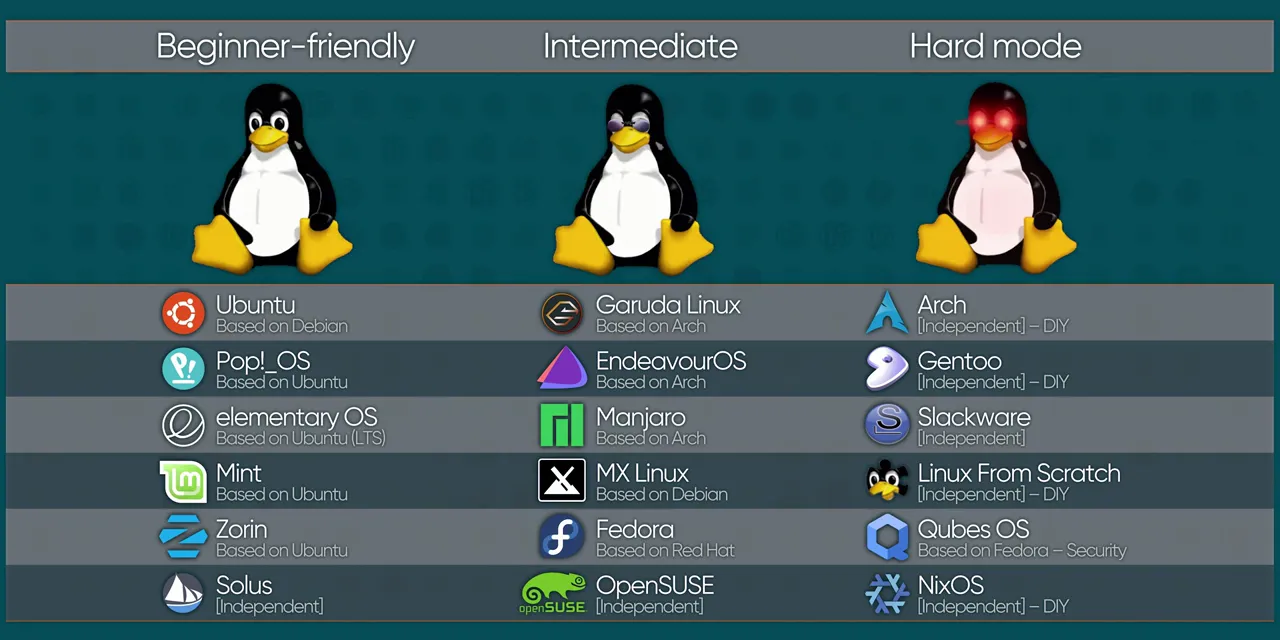
Linux offers too much control and too many choices to the users. For many, it’s a good thing. But for some, it can be a deterrent, if they don’t want to take the mental overhead of selection. Eg. Linux has over 500 distributions (versions) in active development. It’s free and open-source. So anyone with a computer and sufficient knowledge can spin up a Linux distribution. So people can get overwhelmed and confused. But with a bit of guidance or research, one can easily overcome this. There are enough and more guides on the internet on selecting the right OS.
The first OS you choose will decide your view on Linux. So I would recommend starting with Linux mint which is an extremely user-friendly, Windows-like, very stable OS. However, if you are really low on resources Eg. less than 1GB RAM, I would recommend Lubuntu or if you are ready to do some learning, a window manager like i3.
Figure 7: Some of the popular Linux Distributions
When would I NOT recommend Linux to someone?
1. If someone is using specialized software only available in Windows or macOS
Certain popular software packages are not available for Linux. Very good alternatives are available for most of them. However, if you’re using them at a very advanced professional level, I wouldn’t recommend you to jump ship. Eg. If you are a designer and use Adobe creative suite, if you’re an analyst and using advanced Microsoft tools such as Excel VBA Coding, Power BI, Tableau etc.
2. If someone is a hardcore gamer
If you’re a gamer I would recommend you to stick with windows. Yes. You can get most games to work with Linux with a little bit of tinkering. But if you’re too lazy for that, just do a dual boot and have a windows partition for gaming.
Why is this article credible?
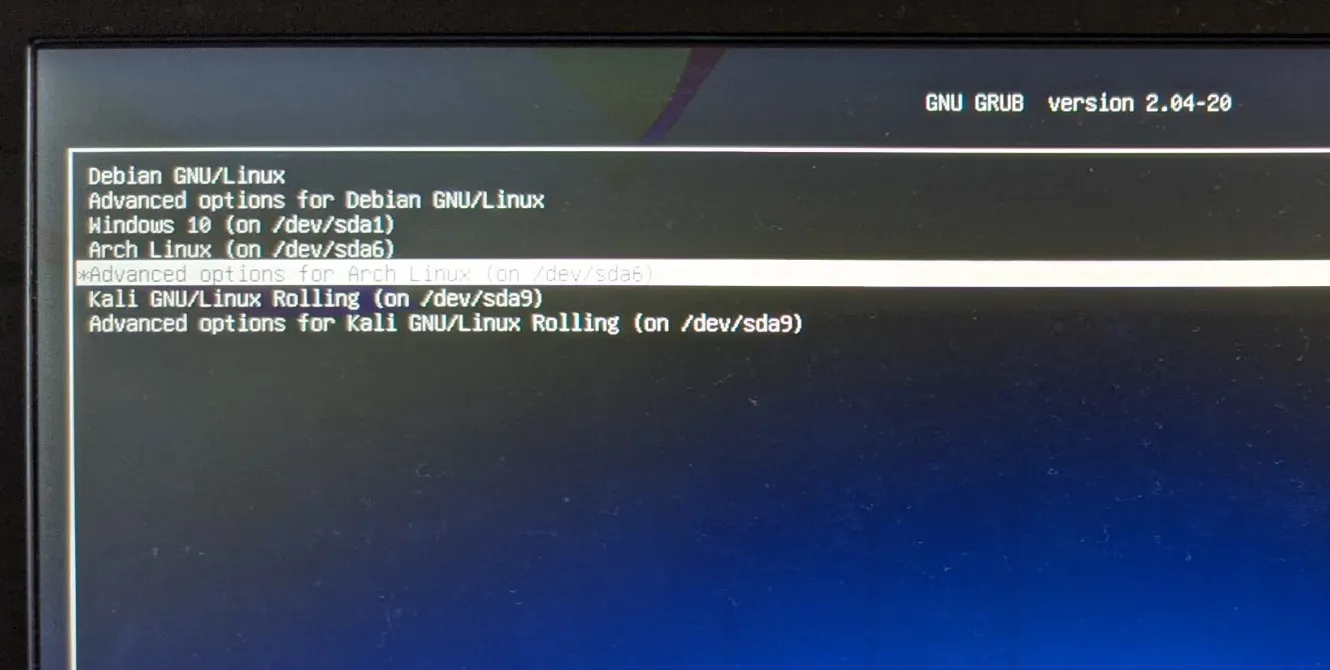
I’ve been running Linux as my daily driver on my personal computer since 2011. So it’s been 10 years since I started using it. During the whole time, I’ve been using Windows too (macOS for about 3 years) at work. So I have a good understanding of all three OS. Also, I’ve used different distributions over time. And I keep on testing new releases and distros because Linux has become sort of a hobby for me. Even today, I have multiple OS’s installed in my 10-year-old laptop and I actively use them.
Figure 8: my boot screen
The first time I came across Linux was in 2004 when I was doing the C programming language module in the university. I used Knoppix live-cd without even knowing what it is. Then in 2008, I started using Linux in servers, when I was a system administrator at a Telecom service provider. At that point, I got interested in it. In 2007-2008 Ubuntu was delivering CD’s via mail for free, I ordered them at that time and used them as a secondary OS. Finally, in 2011, I started using Ubuntu as my main driver.
I’ve gone through the cycles of awareness, confusion, stabilization and control. I’ve tried all the main Linux flavours, predominantly using Ubuntu and Mint, until I settled in with Arch Linux in 2019. Even today, I have multiple distros installed on my computer and many as virtual machines, because I Love Linux.
First published on LinkedIn.